Icon of program: Click Translator

Click Translator for Windows

  • Trial version
  • 1
    1
  • 2.7K
  • V5.01.516

Instant translation between lots of languages

Click Translator is a fairly average – but functional – desktop translation app.

Top Recommended Alternative
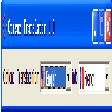
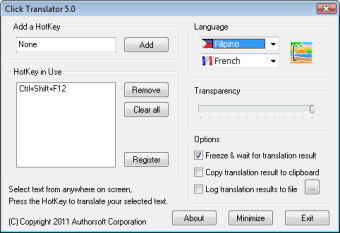
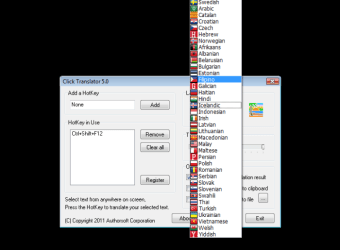
This translation tool offers a large variety of language options for instant translation, and it is easy to reverse your language pair, but it’s not exactly the best looking on the market. It’s also pretty low on configuration options – you can make the interface transparent, or minimize it to a mini-interface or the taskbar – but that’s about it.

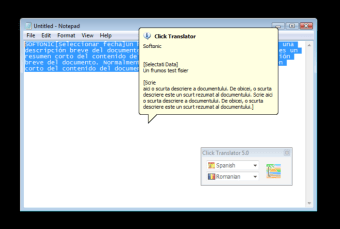
Click Translator works with hotkeys. Define a new hotkey for each language combination, then highlight the text you want translated and hit the corresponding hotkey. To do this you may want to look at the online instructions. Your translation will appear in a speech bubble close to where the original is.

Unfortunately, there’s nothing very original about Click Translator. There are scores of free apps that do the same job with more configuration options and a nicer interface. Click Translator works, sure, but it’s really uninspiring, so if you need a desktop translation app, we recommend you keep looking.

Click Translator translates plenty of languages, but all in all it’s a pretty average app.

  • Pros

    • Good language options
    • Define your own hotkeys
  • Cons

    • No configuration options
    • Boring interface
    • Limited features
    • Requires internet connection
 0/3

App specs

  • License

    Trial version

  • Version

    5.01.516

  • Latest update

  • Platform

    Windows

  • OS

    Windows 7

  • Language

    English

    Available languages

    • German
    • English
    • Spanish
    • French
    • Italian
    • Portuguese
    • Chinese
  • Downloads

    2.7K

  • Size

    666.51 KB

  • Developer

Program available in other languages


Icon of program: Click Translator

Click Translator for PC

  • Trial version
  • 1
    1
  • 2.7K
  • V5.01.516

User reviews about Click Translator

Have you tried Click Translator? Be the first to leave your opinion!

Add review

You may also like

Alternatives to Click Translator

Explore Apps

Latest articles

Laws concerning the use of this software vary from country to country. We do not encourage or condone the use of this program if it is in violation of these laws.
Softonic

Is Click Translator safe?

99/100

Score result: Clean

This file passed a comprehensive security scan using VirusTotal technology. It is safe to download.

  • Virus free
  • Spyware free
  • Malware free
  • Verified by Security Partners

    VirusTotal logo

Scan Info

Last scan
Sunday, December 17, 2023
Scan provider
VirusTotal · Full report

File Integrity

File
ClickTranslator.exe
SHA256
a3baf515aeea5f0a2b6db62ccc55f14f5602b169f924c082e4b172362649fb9a
SHA1
6c413281396281cff7455686d5f7c3f27d76f819

Softonic security commitment

Click Translator has been thoroughly scanned by our advanced security systems and verified by industry-leading partners. This file comes from the official developer and has passed all our security checks, showing no signs of viruses, malware, or spyware. For more information, visit our Security and Trust Center